


USAutomatic Smart App Wifi Receiver - How to Update the Firmware on the Nexx Gate WiFi Receiver
The Nexx app will prompt you when a firmware update is available for your device. You can also go to your settings to enable automatic updates. Only the Nexx account that originally set up the device can update the firmware.
Important: The update process can take several minutes. Do not allow the Nexx Gate or gate opener to lose power during the update. The app will notify you once the update is complete.
Applies to Part Number(s): 030223 - USAutomatic Smart App WiFi Receiver
Firmware Update Procedure
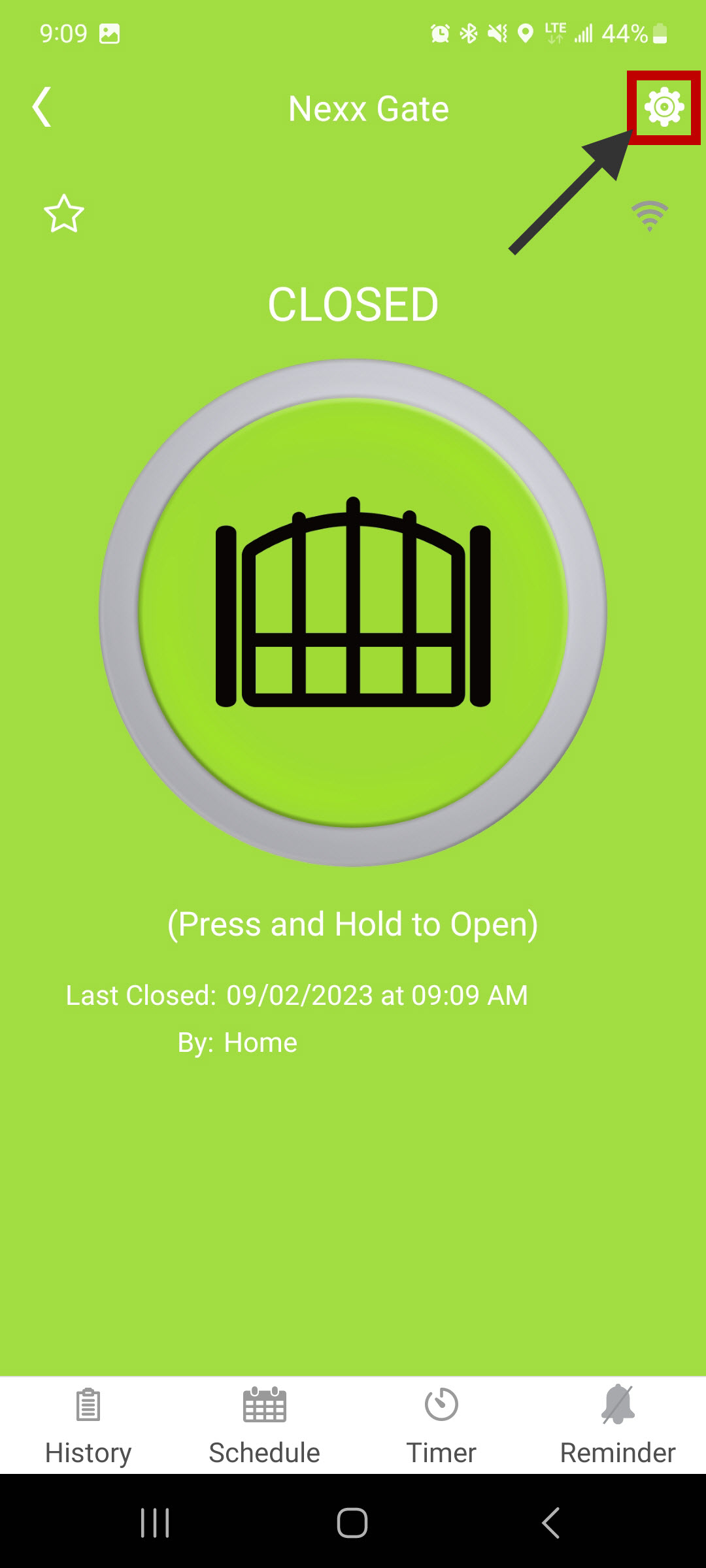
Step 1: Open Device Settings
From your Nexx Gate device screen, open Device Settings.
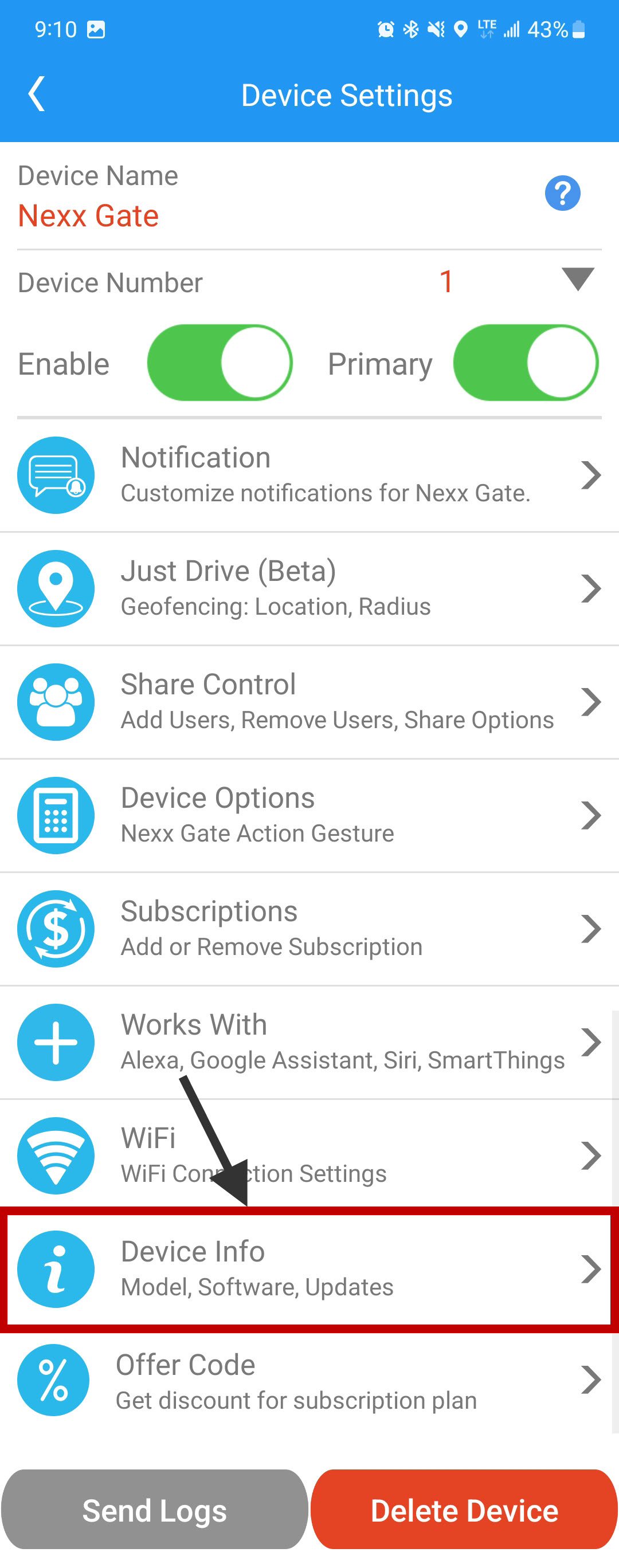
Step 2: Open Device Info
Select Device Info. If this option is not visible, your account is not the main user and cannot perform the update.
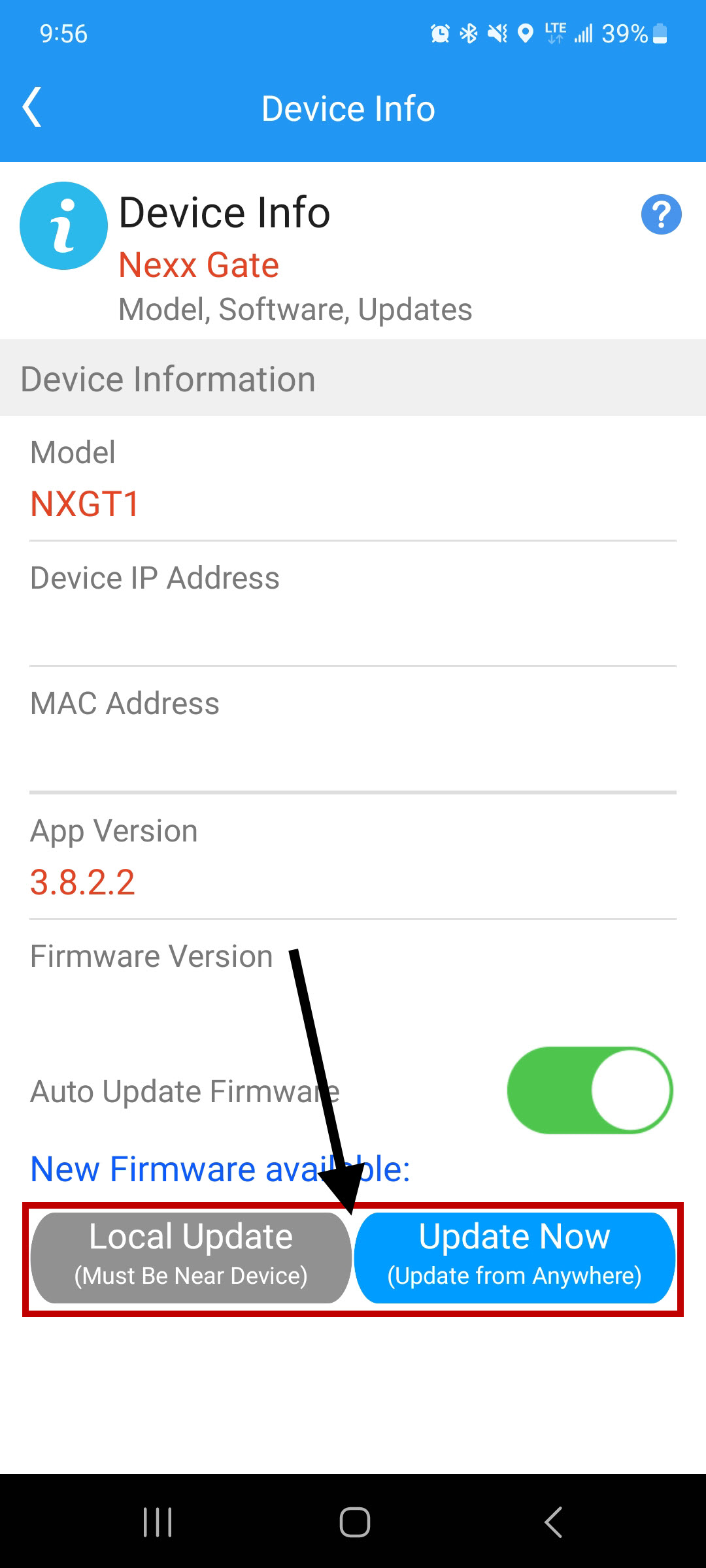
Step 3: Update the Firmware
Select an update option to begin. If you choose “Local Update”, stay near the Nexx Gate and ensure Bluetooth is turned on. The update may take several minutes to complete.
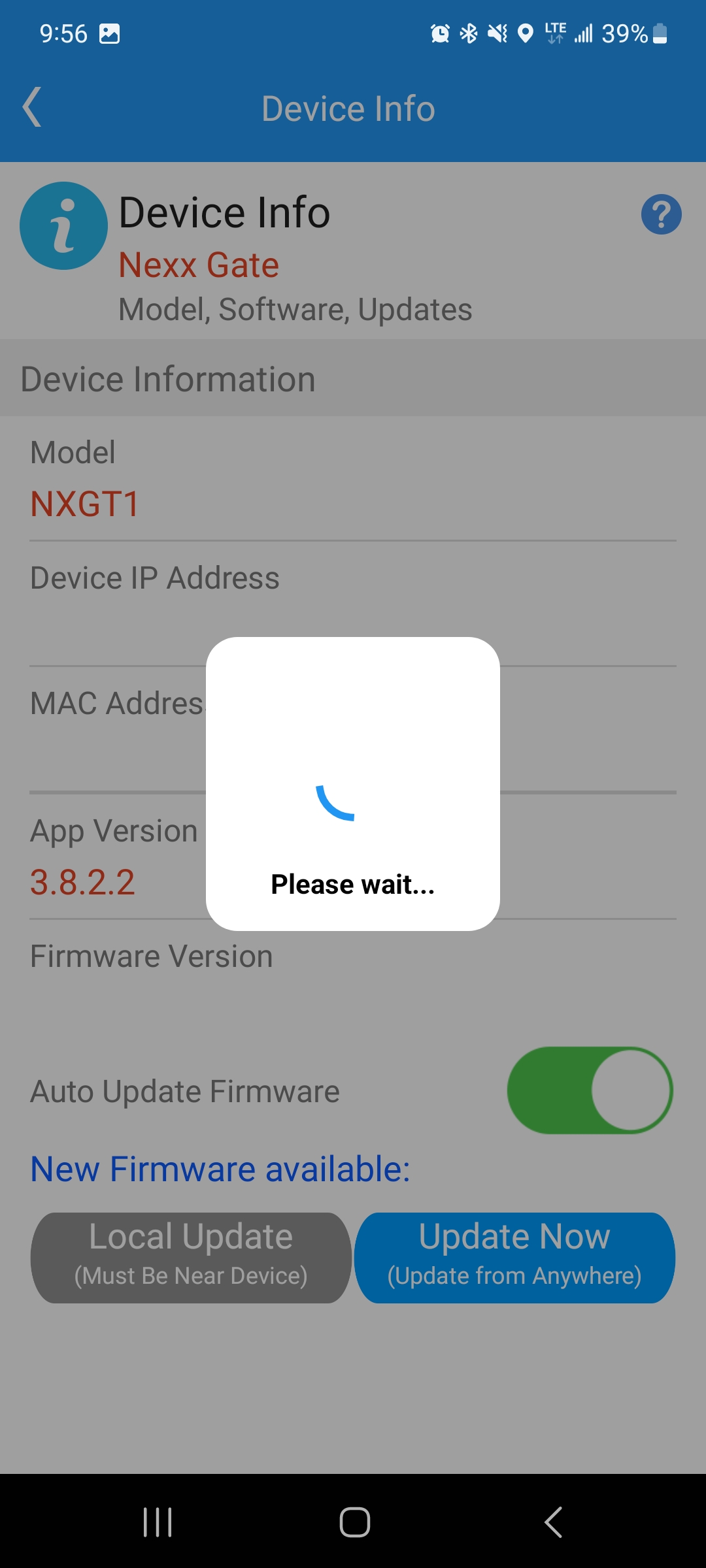
Step 4: Complete the Update
If the update fails, an error message will appear. Close the message and attempt the update again.
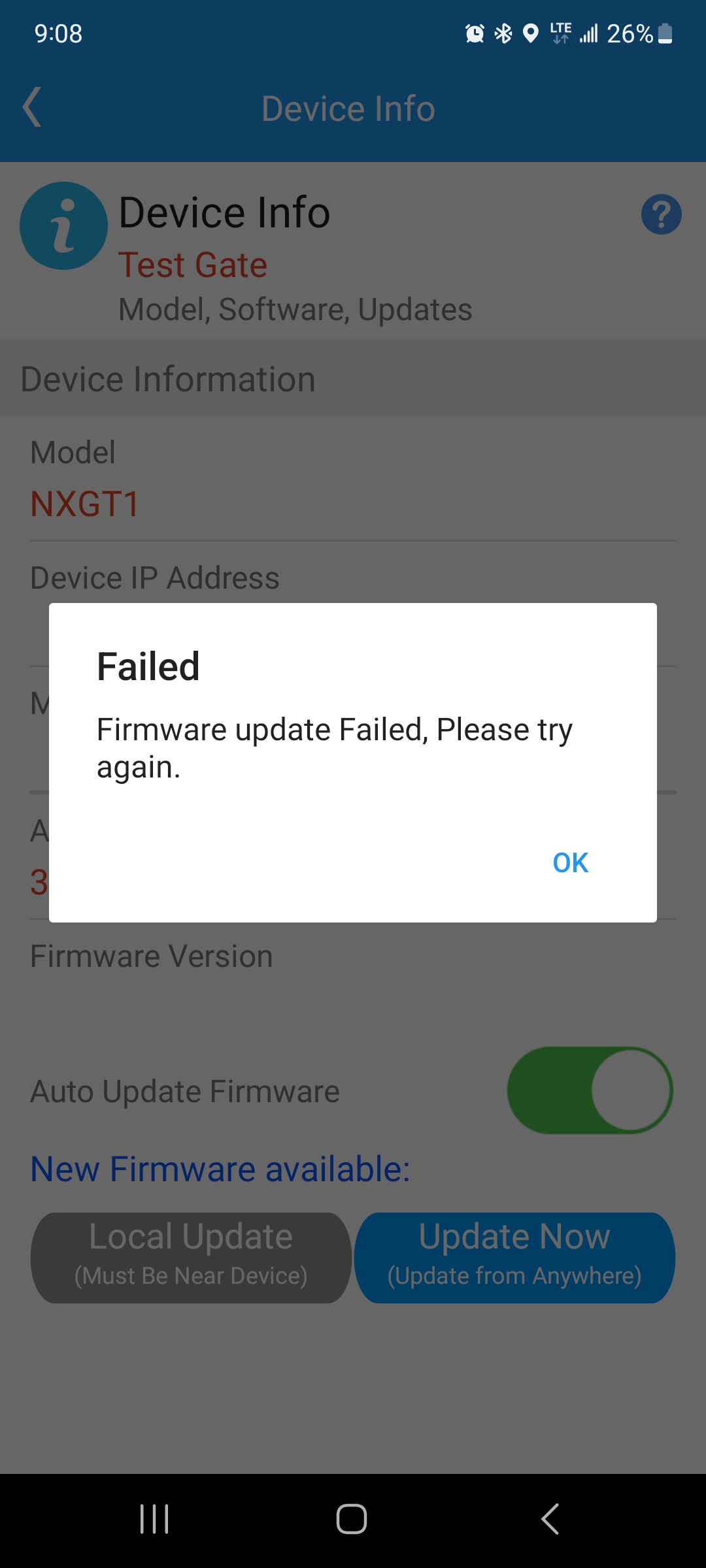
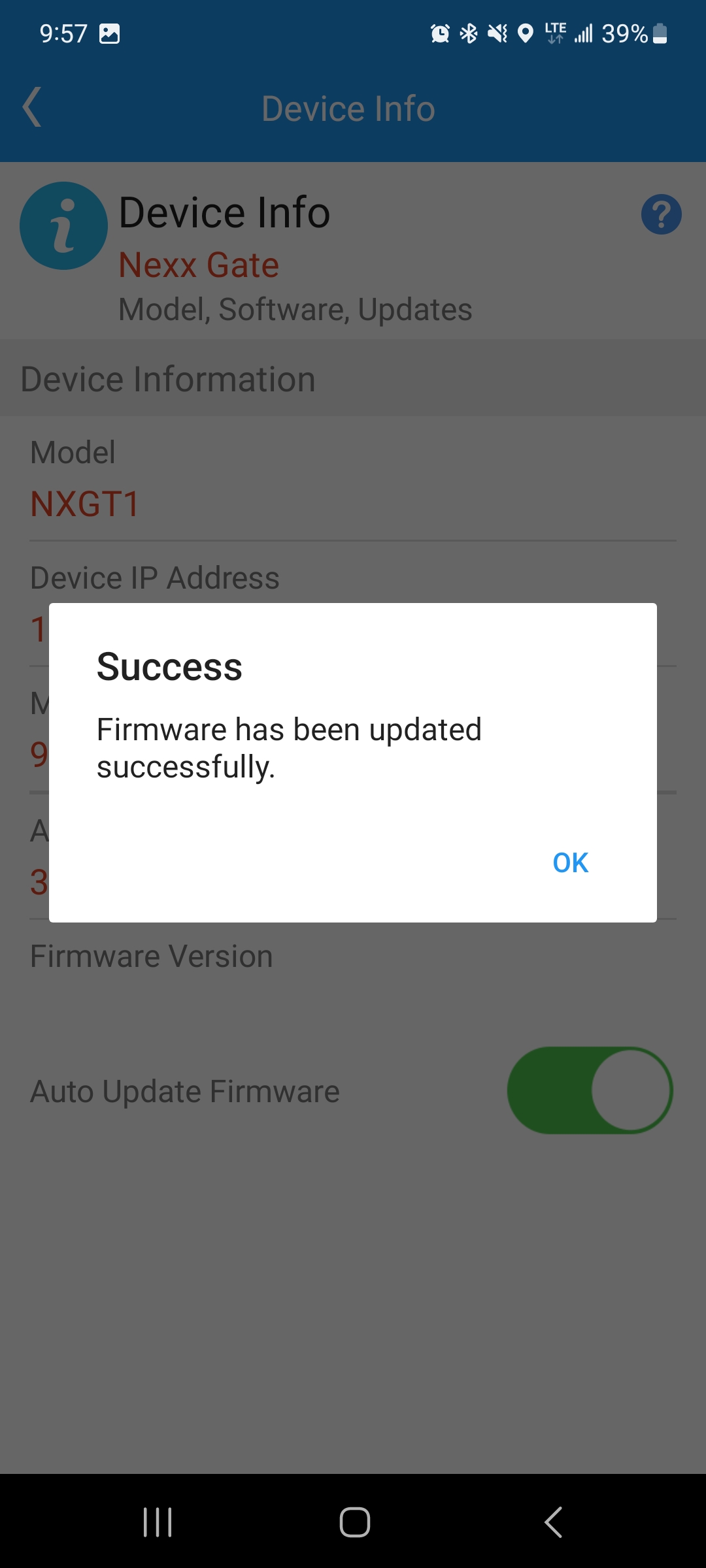
If the update completes successfully, a confirmation message will display.
Testing the App After Update
After a firmware update, the app may lose the ability to operate the gate. If this occurs, manually cycling the gate usually restores communication:
- Attempt to operate the gate from the Nexx app.
- If the gate operates, no further action is required.
- If the Nexx Gate beeps 3 times but the gate does not move, continue to the next steps.
- Run the gate open using a remote or the open/close button on the main control board.
- Refresh the Nexx app. It should now show the gate is open.
- Run the gate closed using a remote or the main control board button.
- Refresh the Nexx app again. It should now show the gate is closed.
- Attempt to operate the gate from the Nexx app.
If the app still does not operate the gate after these steps, call (972) 221-7000 for manufacturer technical support.