


USAutomatic Smart App Wifi Receiver - How to Set Up Just Drive in the Nexx App
Just Drive is a hands-free feature in the Nexx app that automatically opens your gate when you enter a customizable radius around the opener while in a moving vehicle.
Note: This feature is still in development and may not work consistently. If you experience issues, submit troubleshooting logs in the Nexx app and contact Nexx support at Support@Getnexx.com.
Applies to Part Number(s): 030223 - USAutomatic Smart App WiFi Receiver
Set Up Just Drive
Step 1: Enable the Feature
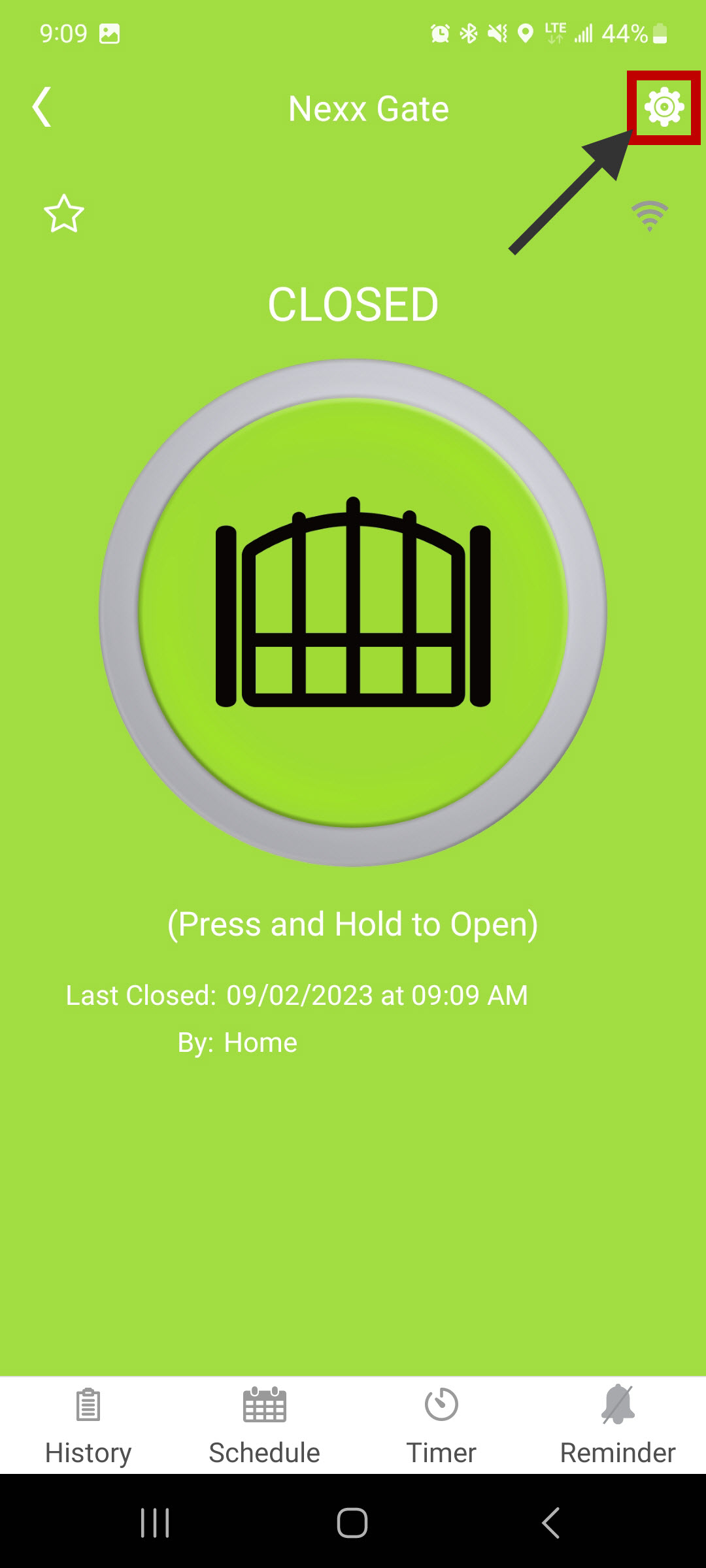
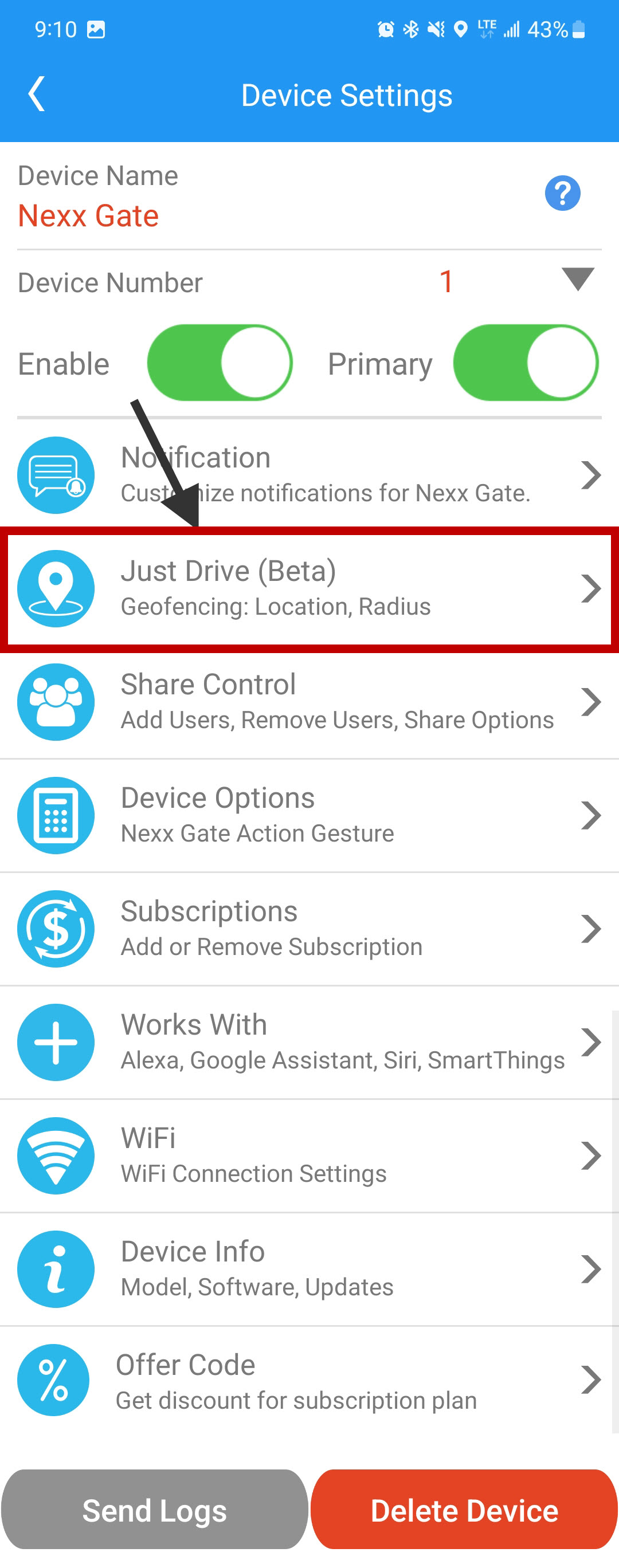
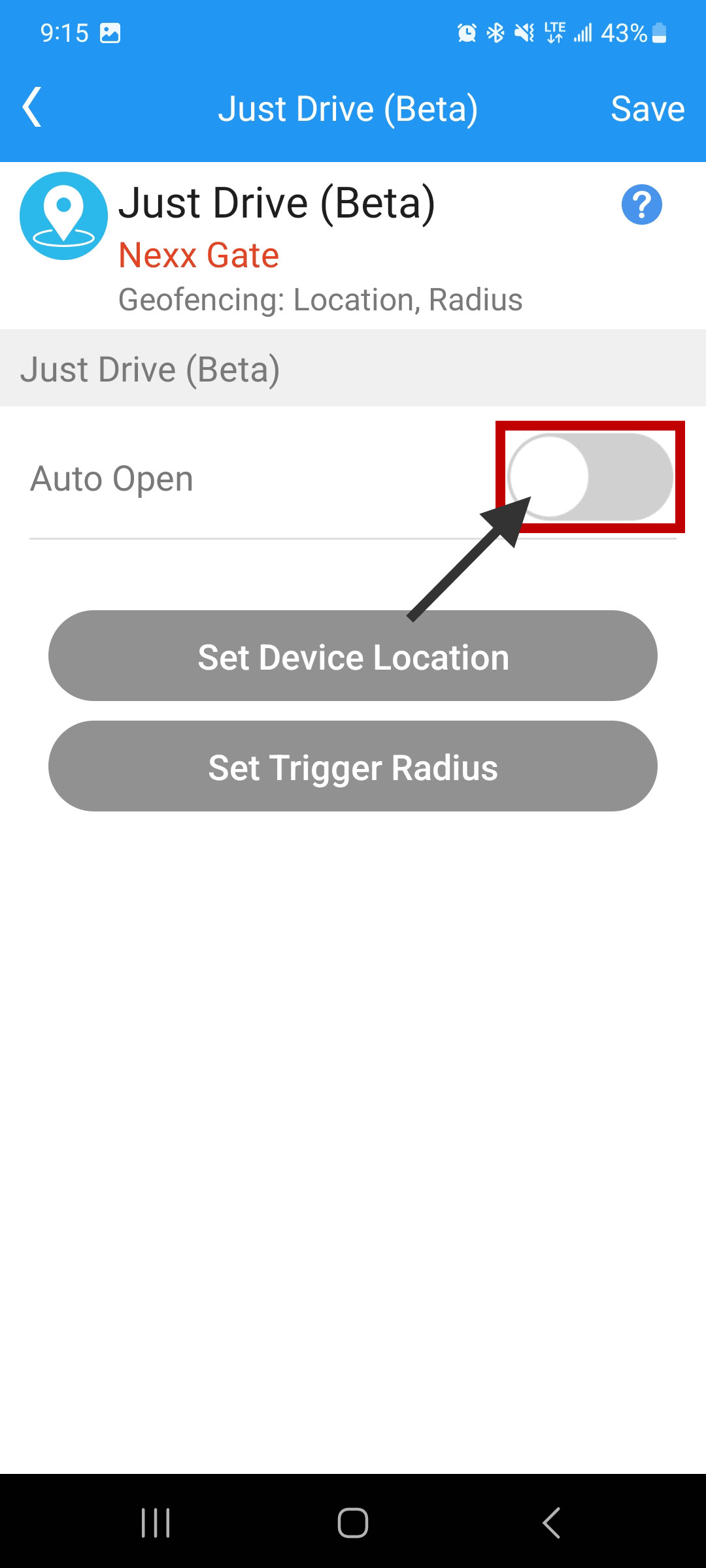
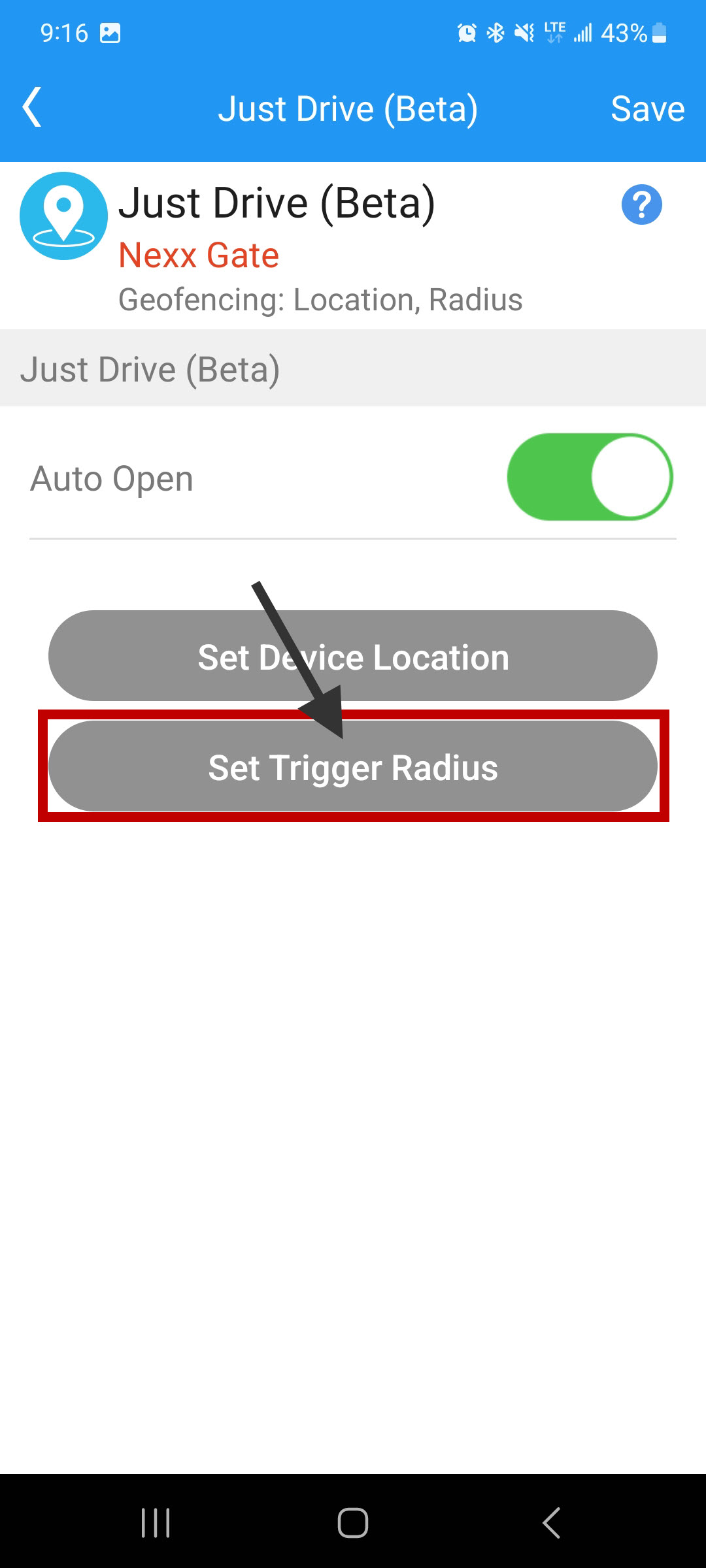
Open Device Settings, select Just Drive (Beta), and toggle the feature on. Read and accept the disclaimer to proceed.
Step 2: Set the Device Location
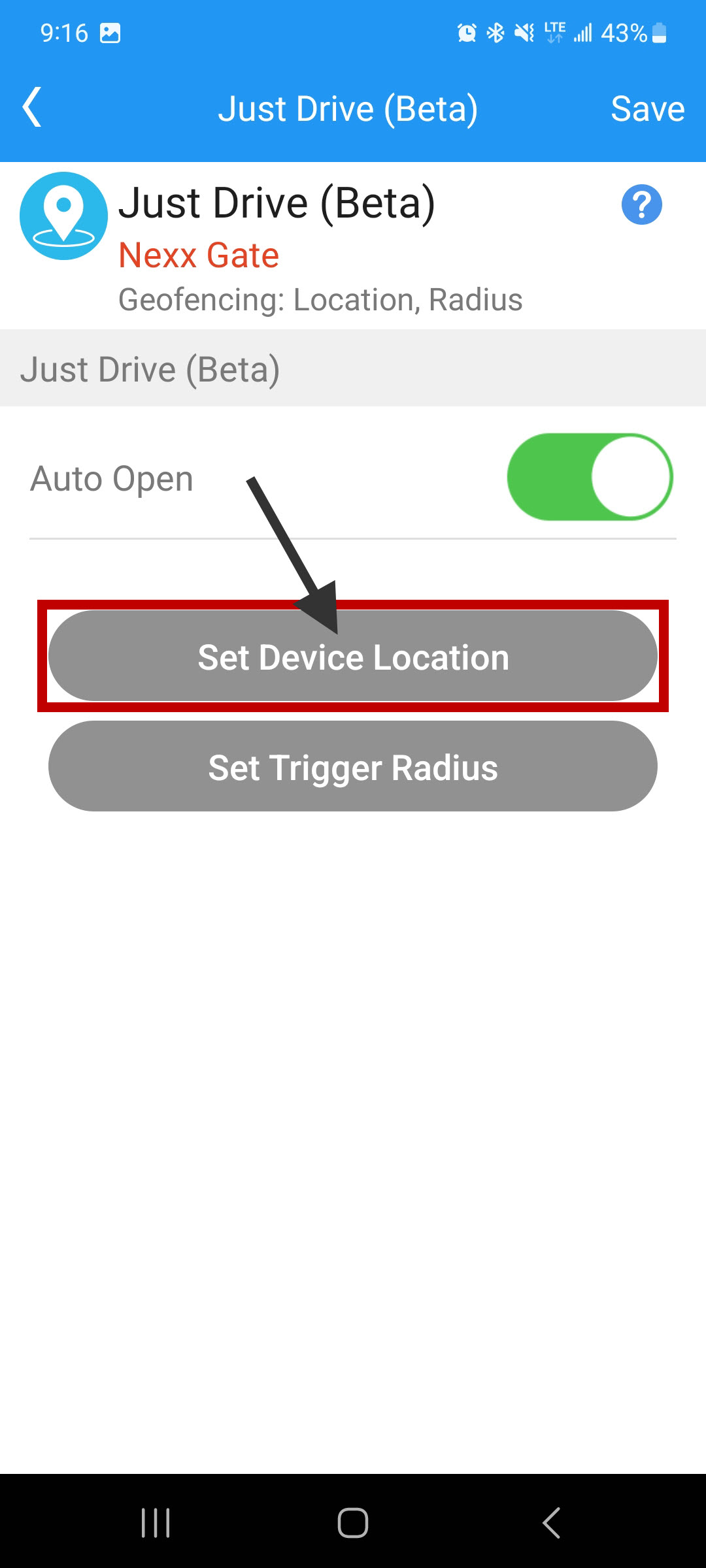
Stand directly next to the opener's cabinet and tap "Set Device Location" to establish the center point for detection.
Step 3: Set the Trigger Radius
Tap "Set Trigger Radius" and use the slider to increase or decrease the detection radius. Press Save when finished.
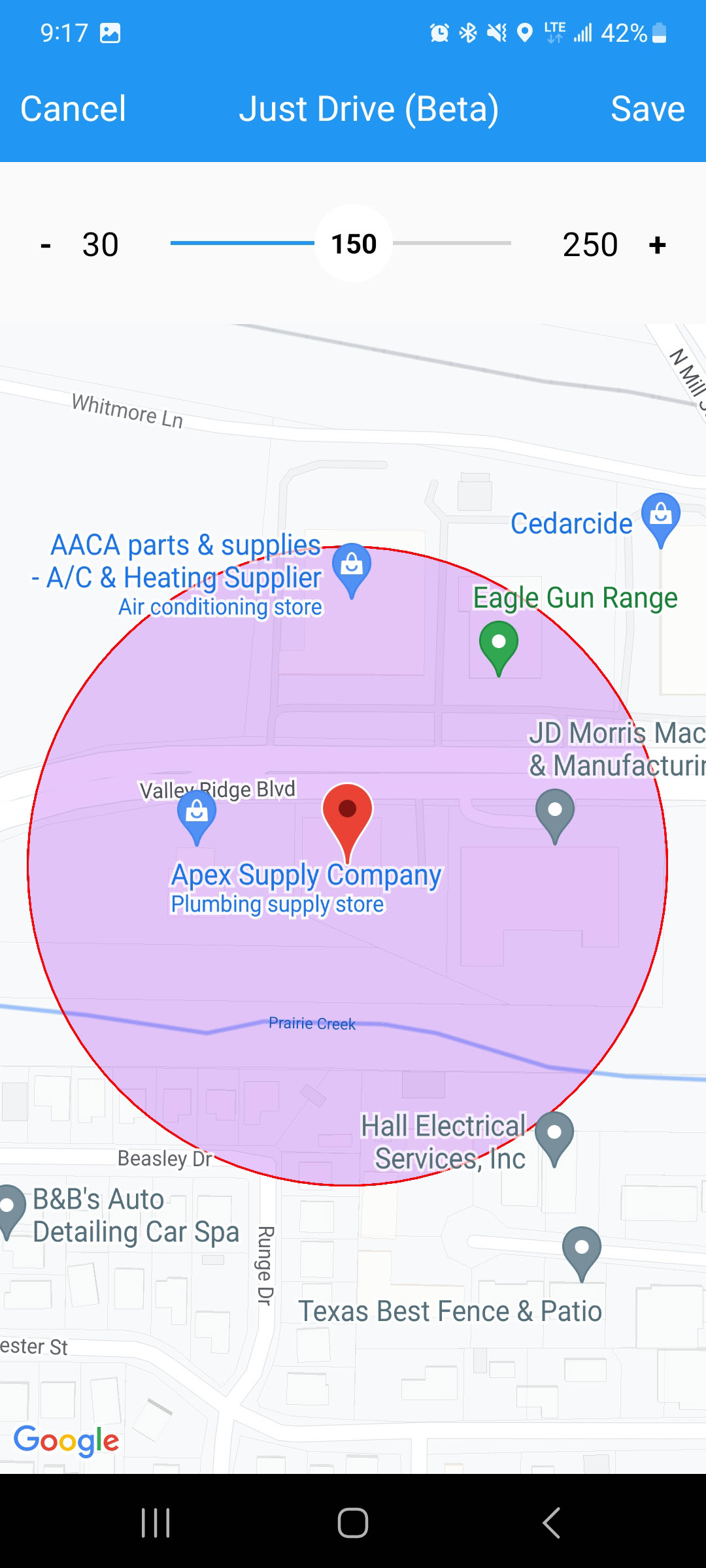
Once saved, the gate will open automatically when you enter the set radius in a moving vehicle.