USAutomatic Smart App Wifi Receiver - How to Add Additional Users in the Nexx App
You can give additional users- your family, your friends, your dog- access to your Nexx Gate without sharing a remote or keypad code. Up to 9 additional users can be added, with optional restrictions on when they can open the gate, which features they can use, and whether they must be near the gate to operate it.
The person (or animal) being added must already have the Nexx app installed, a Nexx account set up, and an email address.
Applies to Part Number(s): 030223 - USAutomatic Smart App WiFi Receiver
What You Need: Email address of the additional user's Nexx account
Add an Additional User
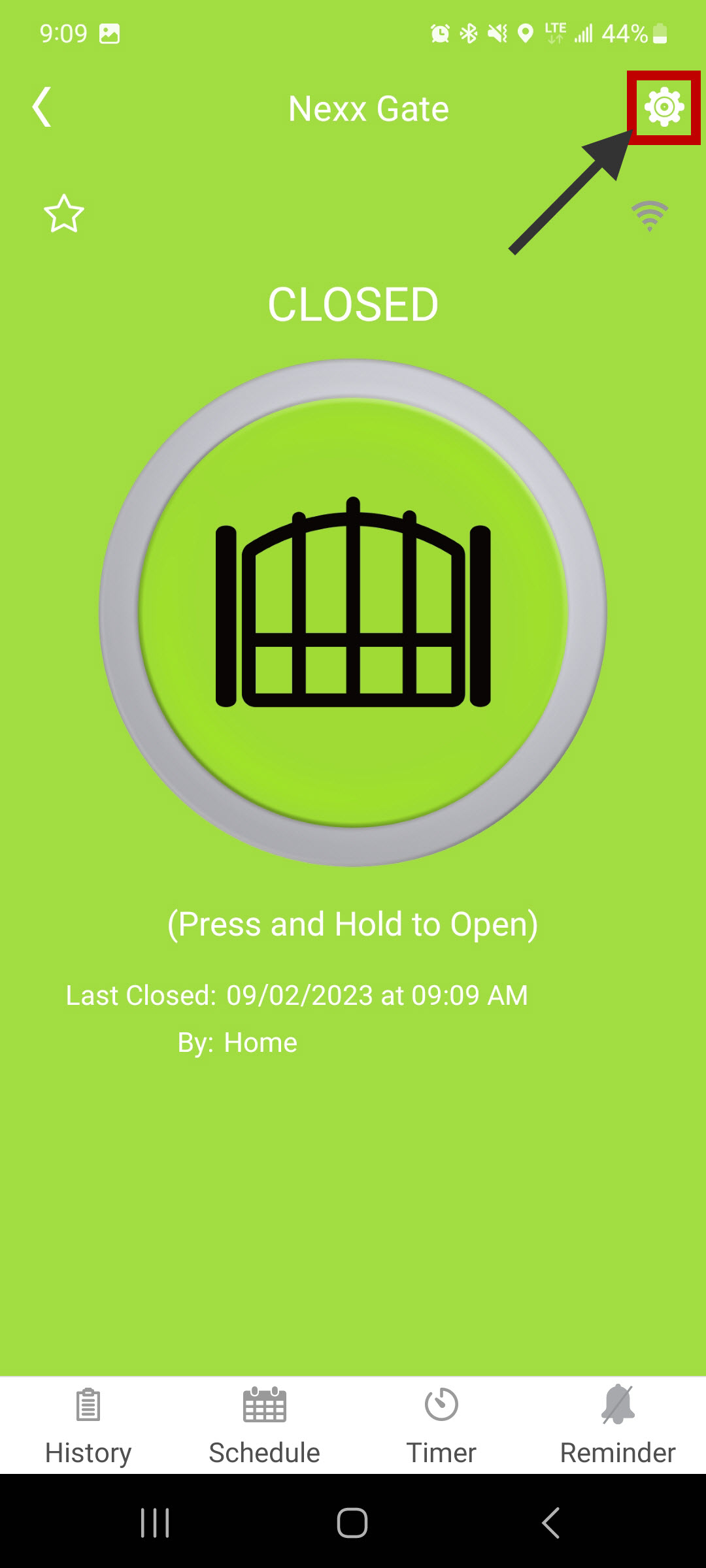
Step 1: Open Device Settings
In the Nexx app, go to your gate's device screen and open Device Settings.
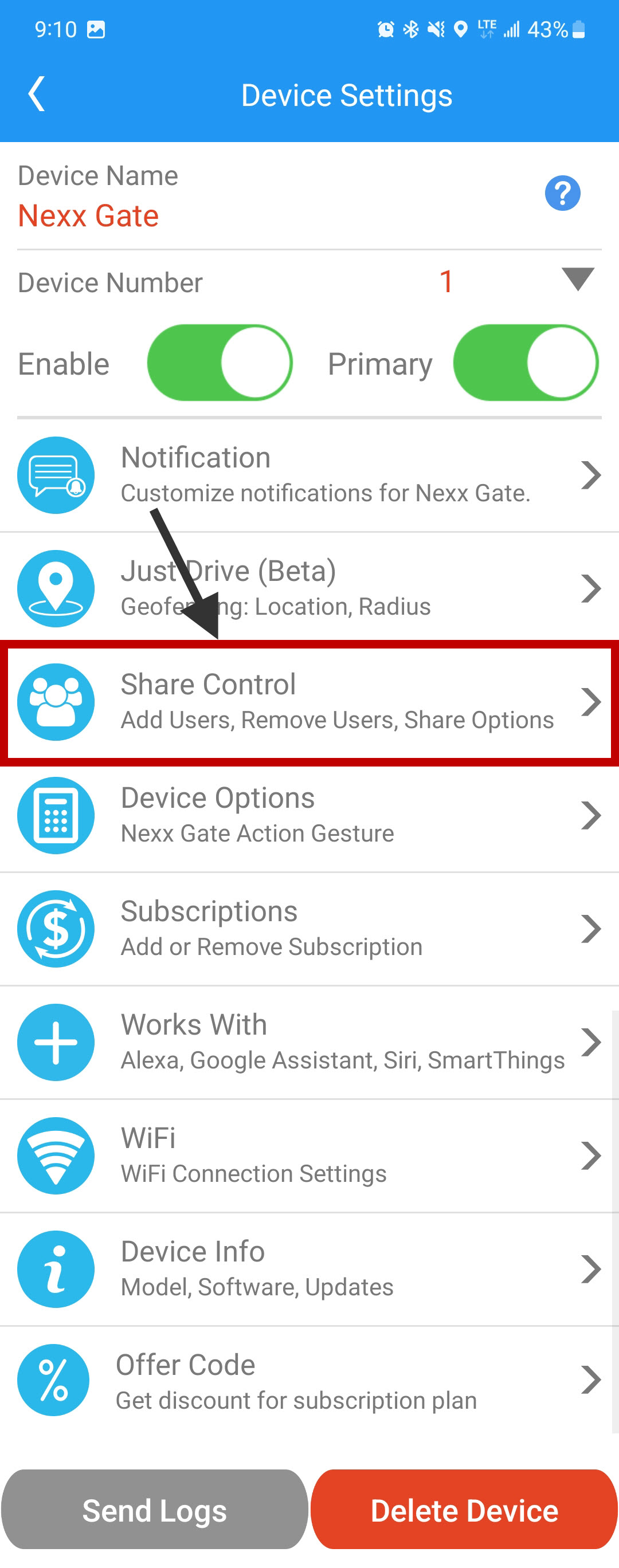
Step 2: Open Share Control
Select Share Control to access the user management screen.
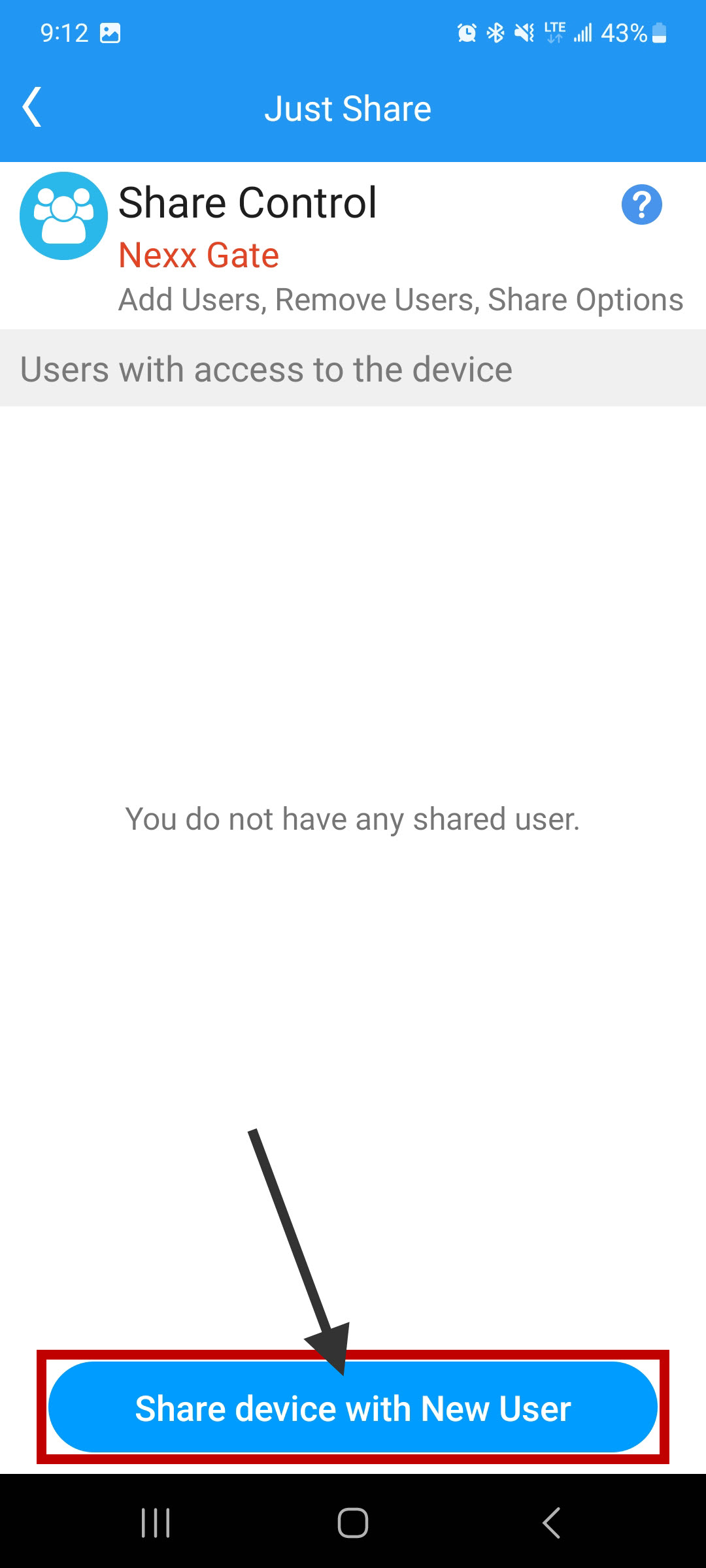
Step 3: Select Share Device with New User
Tap Share Device with New User.
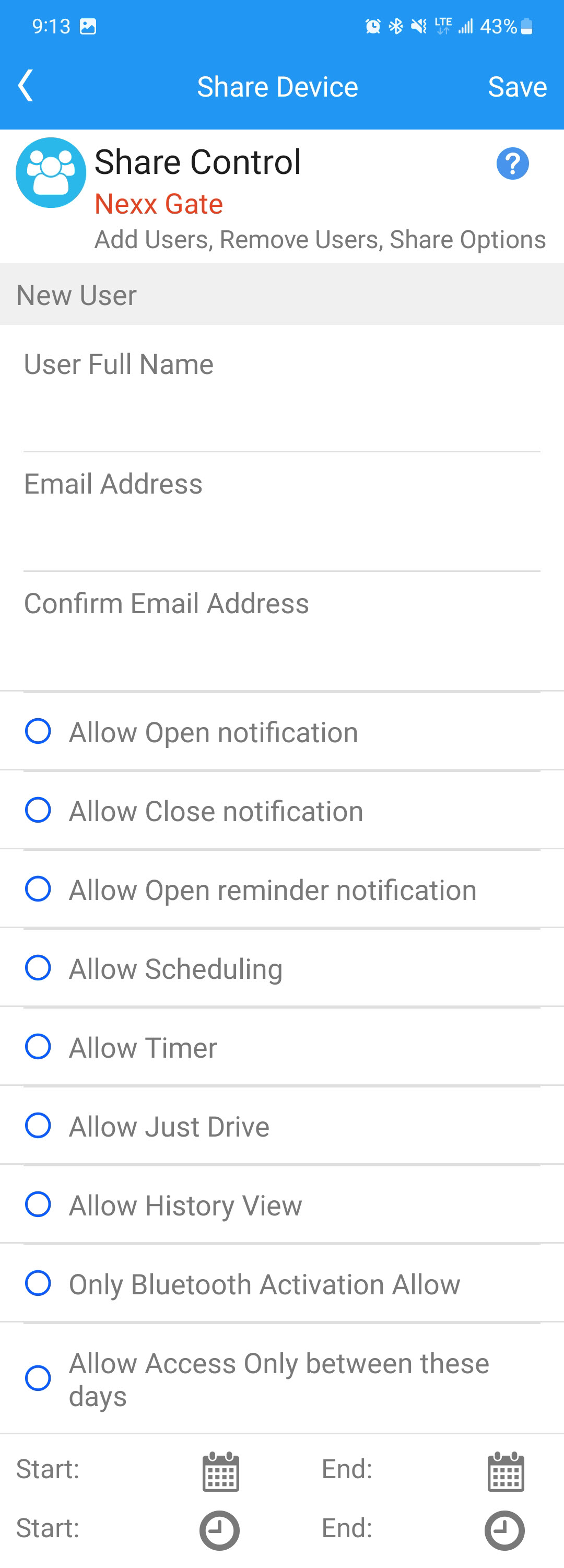
Step 4: Enter Information and Save
Fill in the user's email address and configure their access restrictions. Tap Save in the top right corner. The gate will now appear in the additional user's Nexx app.
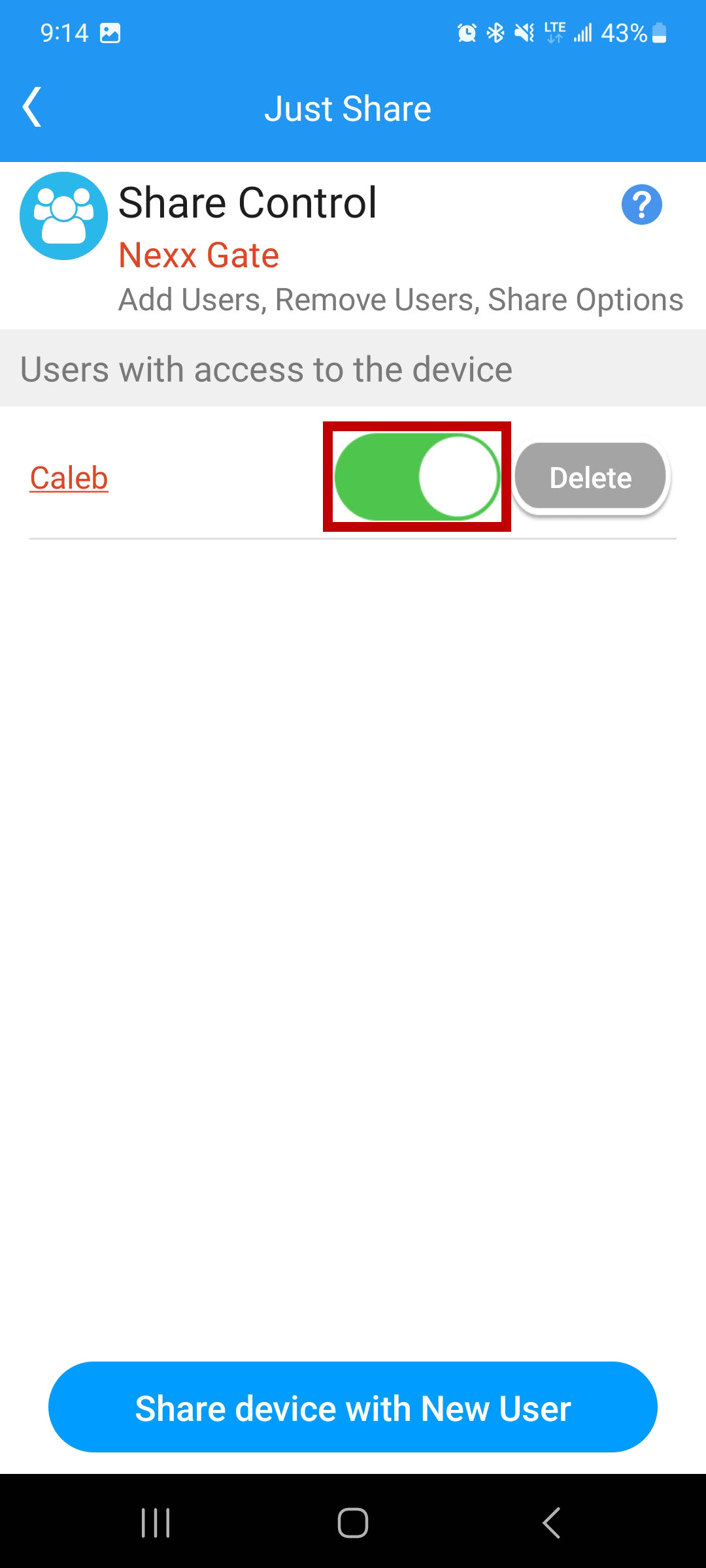
You can toggle their access on or off at any time from the Share Access screen by tapping the slider.