


Gate Will Not Automatically Close
If your slide gate with a Ranger HD gate opener will not close on its own, ensure that the SW1 switch 1 is on first, as the gate should automatically close from any position. If not, proceed with the following steps:
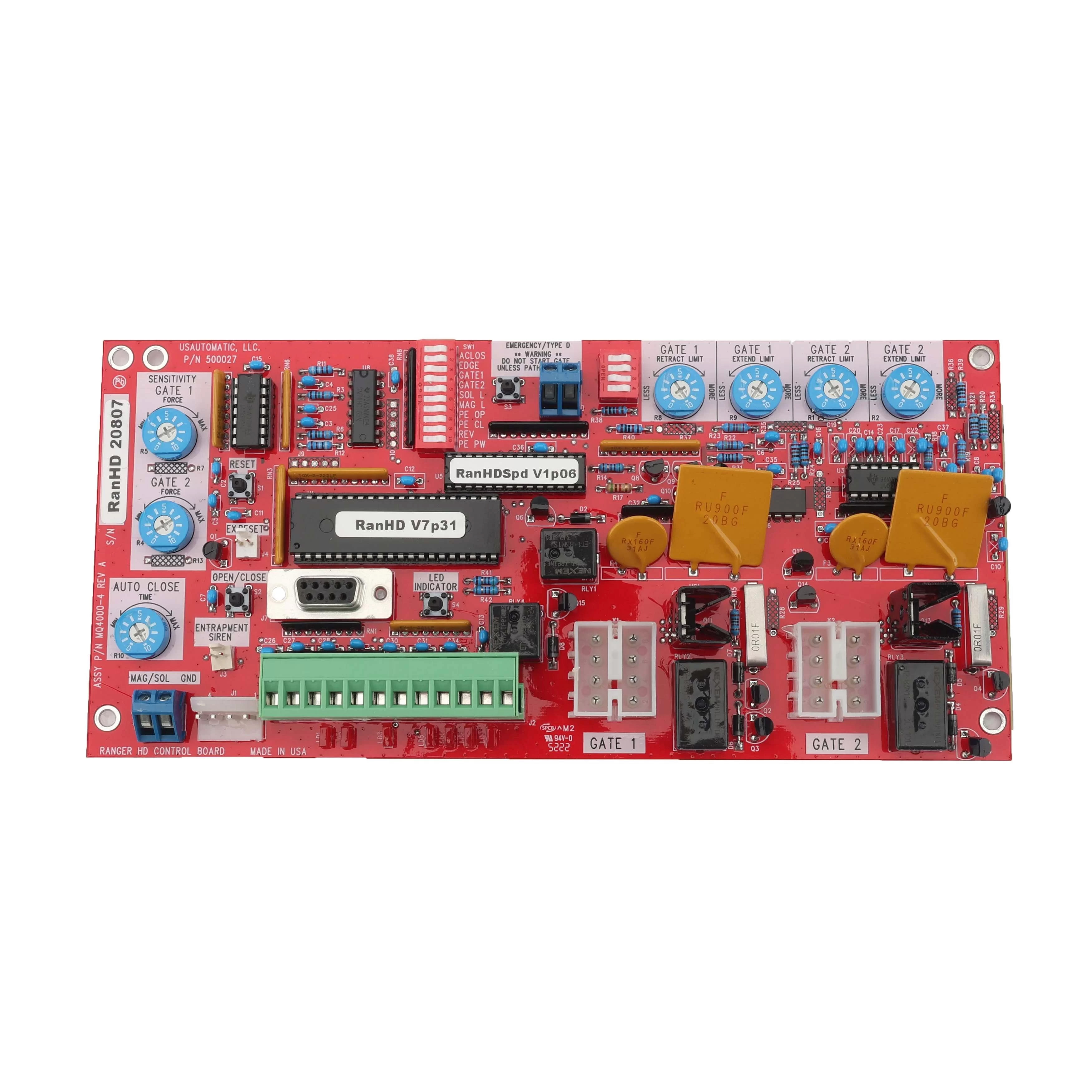
- Locate the Open/Close Command button and press it to verify that the gate will close. If the gate closes correctly, proceed to the steps below.
- Verify that SW1 switch 1 is on. If not, turn it on and recheck gate operation. If the gate remains open, continue with step 3.
- Locate the LED Indicator button, press and hold it. While holding the button, inspect the LED indicators on the control board under the J2 Terminal Plug and note which LEDs are on. If LD1, LD2, LD6, or LD7 are on, remove the wire from J2 for that LED, cycle the gate, and verify that auto close is working.
- If auto close resumes after disconnecting that wire, the device wired to J2 pin 3, 9, 10, or 11 need replaced.