


Gate Will Not Automatically Close
If your Patriot RSL Slide gate is open, ensure that DS1 switch 1 is on and switch 2 is off as the gate should automatically close from any position. If switch 2 is also on, the gate will only automatically close if the retract limit for a right-hand installation or the extend limit for a left-hand installation is on. From there, proceed with the following steps:
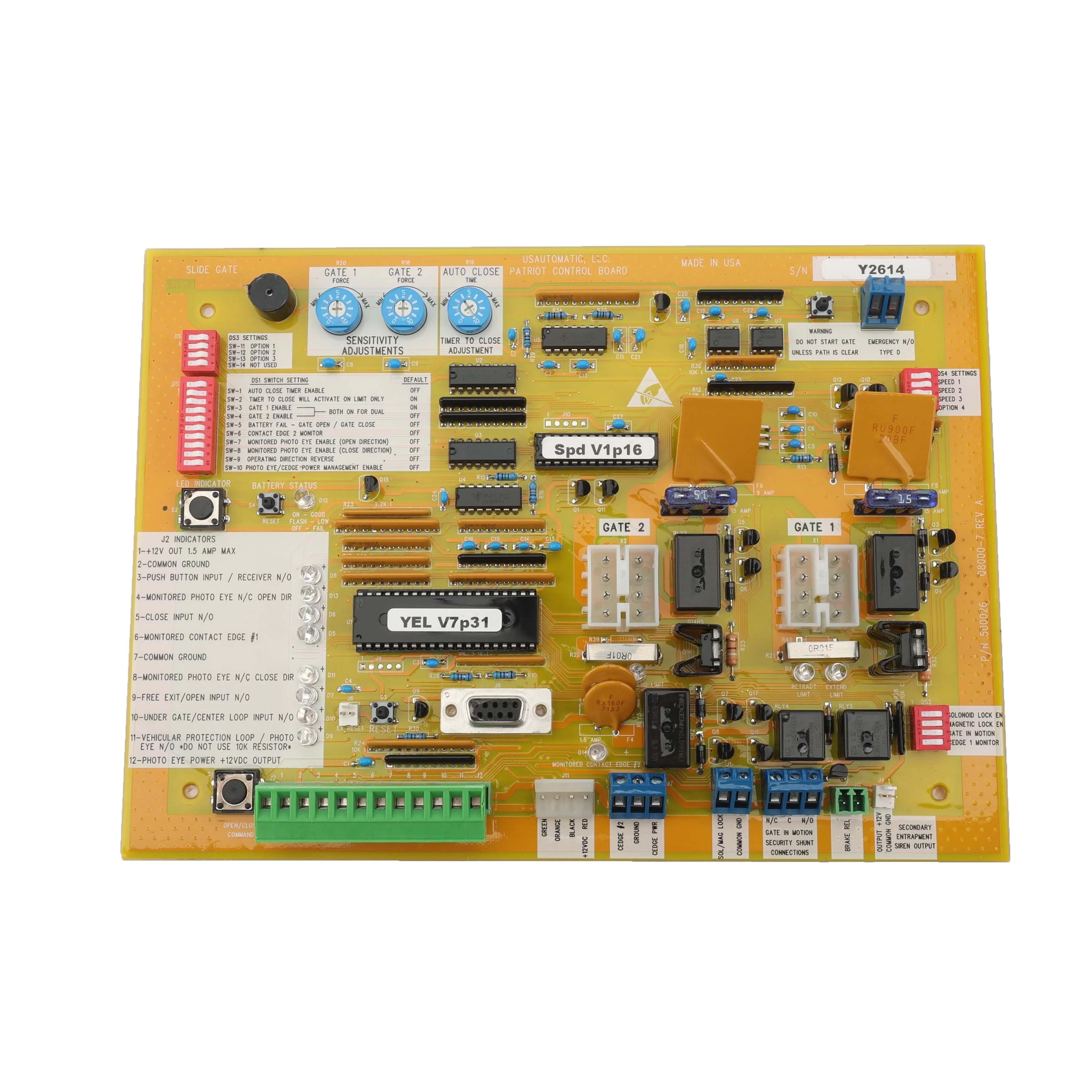
- Locate the Open/Close Command button and press it to verify that the gate will close. If the gate closes correctly, proceed to the steps below.
- Verify that DS1 switch 1 is on. If not, turn it on and recheck gate operation. If the gate remains open, continue with step 3.
- If your installation is a single gate, only DS1 switch 3 or 4 should be on. If both are on, the gate will not automatically close. Turn off the one that is not being used and recheck gate operation.
- Locate the LED Indicator button, press and hold it. While holding the button, observe the LED indicators just below the Gate 1 and Gate 2 (X1, X2) actuator plugs and note which LEDs are on.
- Press and hold the LED Indicator button again and inspect the LED indicators in the lower left corner of the control board. Note which LEDs are on. If any LEDs are on, disconnect the green J2 connector from the control board. Press the Open/Close Command button to close the gate, then press it again to fully open the gate and verify that auto close is working.
- If the gate auto closes correctly after disconnecting the J2 connector, the accessory connected to J2 that was causing the LED to turn on needs to be repaired.
- Verify that all entrapment devices are connected and working properly.