


How to Adjust the Sensitivity of a CP-4 Free Exit Device by Cartell
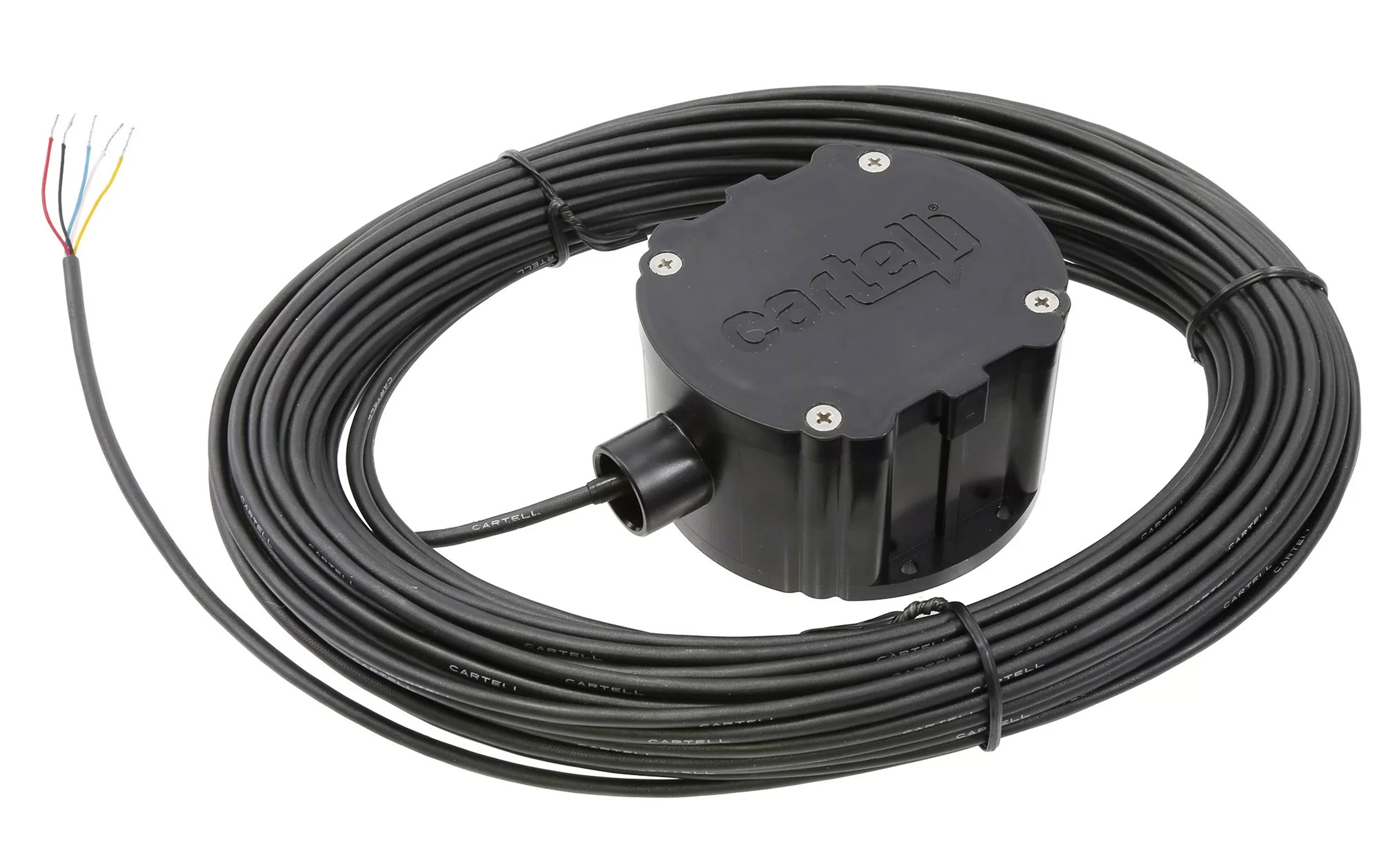
This article is a basic 'how-to' guide on adjusting the sensitivity of the Cartell CP-4 Exit wand. Typically, you will not need to adjust the sensitivity, as the factory setting is already at the highest level. However, it may be useful to lower the sensitivity if the exit wand is sensing objects that shouldn't open the gate, such as bikes or equipment. This guide is for the part number 070305.
Take a look at the CP-4 Exit Wand manual to learn more:
Cartell CP-4 Exit Device ManualMaterials Needed
- Phillips Head Screwdriver
Steps for Changing the Sensitivity of a CP-4 Exit Sensor
Test the Sensor
Before fully installing the sensor, you're going to want to test its range. Vehicles traveling at least 5 MPH should be detected as they pass the sensor, activating the exit device. Depending on the size and speed of other metal objects, other factors may trigger the device.
Using any object you do not want to activate the exit device, test the sensor by passing the object over it, and note whether the exit wand is activated.
Adjusting the Sensitivity
To Open the Sensor:
- Remove 4 screws from the top of the device
- Remove the cover from the device
Making Adjustments
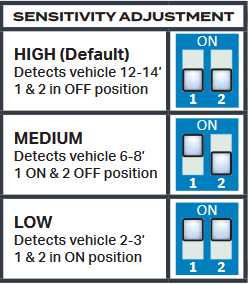
There are 3 different sensitivity ranges within the CP4 Free Exit Device. The chart below can help you determine the ideal sensitivity for your application. The default setting is 12' to 14' of range with both switches set in the off/down position.
Retest
Keep testing the sensor and making adjustments until you are happy with the sensitivity range and the exit device is no longer detecting unwanted objects.
Close the Sensor
- Place the cover back onto the device
- Return the screws to their original place and tighten them in a crisscross pattern until fully tightened.
Still Need Some Assistance? Give us a Call!
If you are still struggling with adjusting the sensitivity of your CP-4 Exit Device, give our expert sales team a call! We'll be happy to walk you through the process and give troubleshooting tips for your device.
Contact Us